Before you start
- A domain you control, and access to its DNS zone (at your registrar or DNS host).
- Galon Mail activated on the project. For the API path, a key with Full access (
full_access).
Watch it (17 s, no sound)
Silent walkthrough: the Galon Mail page, the DNS records to publish (values masked), then Verify now.
1. Add the domain
Console › Mail › Domains › Add domain, or POST /v1/domains with the name. A subdomain such as mail.example.com keeps your main domain's mail untouched.
curl -s -X POST "$GALON_API_BASE/domains" \
  -H "Authorization: Bearer $GALON_API_KEY" \
  -H "Content-Type: application/json" \
  -d '{"name": "mail.example.com"}'
Expected output
HTTP 201
{ "object": "domain", "id": "…", "name": "mail.example.com", "status": "pending", "records": [ … ] }
With MCP: add_domain
{"tool": "add_domain", "arguments": {"name": "mail.example.com"}}2. Copy the records
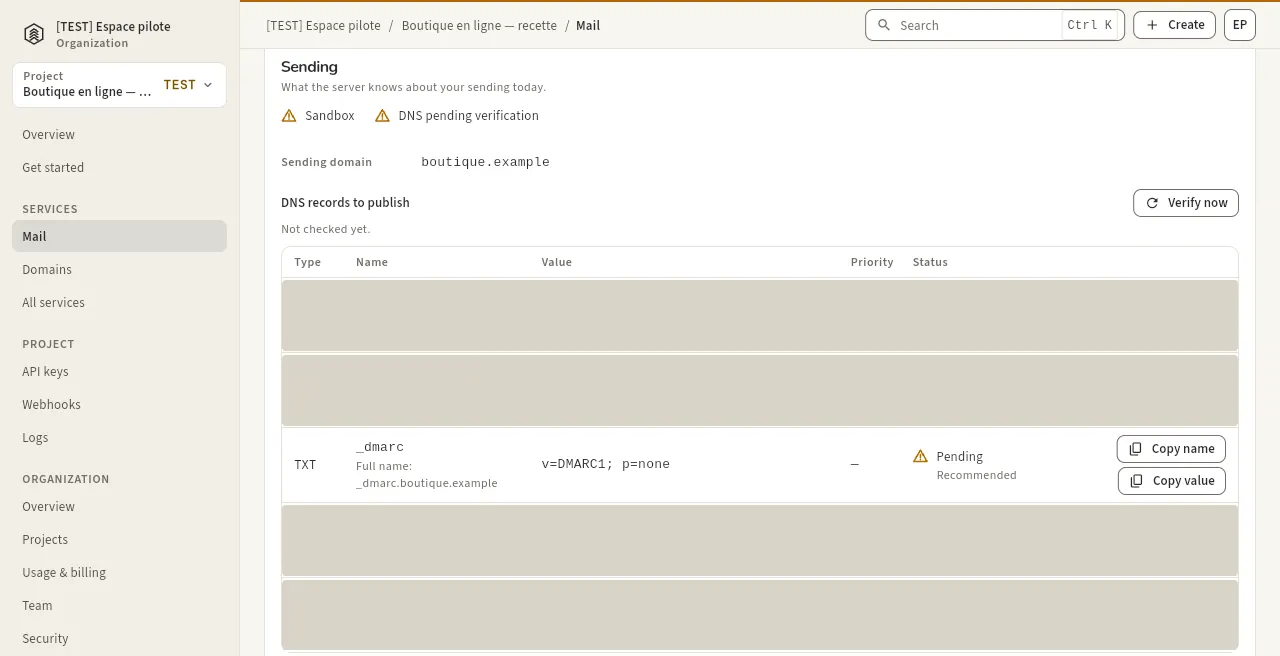
The domain page lists every record with its type, name, value and status. Copy them exactly: the values are unique to your domain.
| Record | Type | Name | Required |
|---|---|---|---|
| DKIM (3 records) | CNAME | <token>._domainkey.<your domain> | yes |
| Return path | MX (priority 10) | the return-path subdomain shown | yes |
| SPF | TXT | the return-path subdomain shown | yes |
| DMARC | TXT | _dmarc.<your domain> | recommended |
With MCP: get_domain
{"tool": "get_domain", "arguments": {"id": "<domain id>"}}3. Publish them at your DNS host
In your DNS host's zone editor, add each record. Most editors want the name WITHOUT your domain at the end (_dmarc, not _dmarc.example.com). Keep the default TTL. Then check from your machine: the answer must equal the value you copied.
dig +short CNAME <token>._domainkey.mail.example.com
dig +short TXT _dmarc.mail.example.com
Expected output
<the CNAME target you copied>.
"v=DMARC1; p=none;"
4. Verify
Click Verify now, or call POST /v1/domains/{id}/verify. The domain turns verified when DKIM, the return path and SPF are found. DNS changes can take from a few minutes to a few hours: Galon checks again by itself, and you can retry.
curl -s -X POST "$GALON_API_BASE/domains/<domain id>/verify" \
  -H "Authorization: Bearer $GALON_API_KEY"
Expected output
{ "object": "domain", "id": "…", "name": "mail.example.com", "status": "verified", … }With MCP: verify_domain
{"tool": "verify_domain", "arguments": {"id": "<domain id>"}}